5 min
Give your coding agent Blaxel superpowers
The Blaxel Agent Skill lets your coding agent autonomously create sandboxes, deploy agents, run jobs, and launch apps - all from a simple prompt.

Creating a Blaxel sandbox is already easy: you can write code (in Python, TypeScript or Go); you can use the CLI; or you can point and click your way through the Blaxel Console.
But we wondered: could we make it even easier?
Enter the Blaxel Agent Skill.
With the Blaxel Agent Skill, we're giving your coding agent everything it needs to autonomously spin up and manage sandboxes on Blaxel. No more writing code - just tell your agent to "create a sandbox" and within a few seconds, it's up and running!
It's not just sandboxes either. Our Blaxel Skill also makes your agent an expert in deploying other resources on Blaxel. That means you (or your agent) can also deploy agents, MCP servers, batch jobs and volumes, all with the same zero-code approach.
How it works
Remember Neo in The Matrix, downloading kung-fu skills into his mind? Agent Skills work in much the same way.
Conceptually, Agent Skills are simple to understand. They are instruction sets to extend coding agents with additional knowledge and tools. An agent can load these instructions into its context and use them to complete the tasks assigned to it. This idea was first proposed in a blog post by Anthropic and was subsequently published as an open standard.
One of the most interesting features of Agent Skills is that they are written in natural language - not code - and stored in Markdown format. This makes them easy to create, maintain and share even for non-technical users. They can also include references to other information sources, such as external documentation, SDK and API references, code in Git repositories, and so on. Look at the Markdown for our Blaxel Skill for an example.
When an agent loads the Blaxel Skill, it receives all the information it needs to:
- create perpetual sandboxes to run code and execute commands
- start servers and generate URLs for real-time application previews
- create and deploy AI agents
- create and deploy MCP servers
- deploy and run batch jobs
Get started
The easiest way to get started with the Blaxel Skill is to add it directly from our GitHub repository to your coding agent with the open source skills CLI:
npx skills add blaxel-ai/agent-skills
You'll be prompted to select your coding agent and installation location. The skills CLI supports all popular coding agents and will automatically add and configure the skill for your selected agent.
Make sure that you're logged in to Blaxel:
bl login
Then, fire up your coding agent and give it a prompt - maybe something like this:
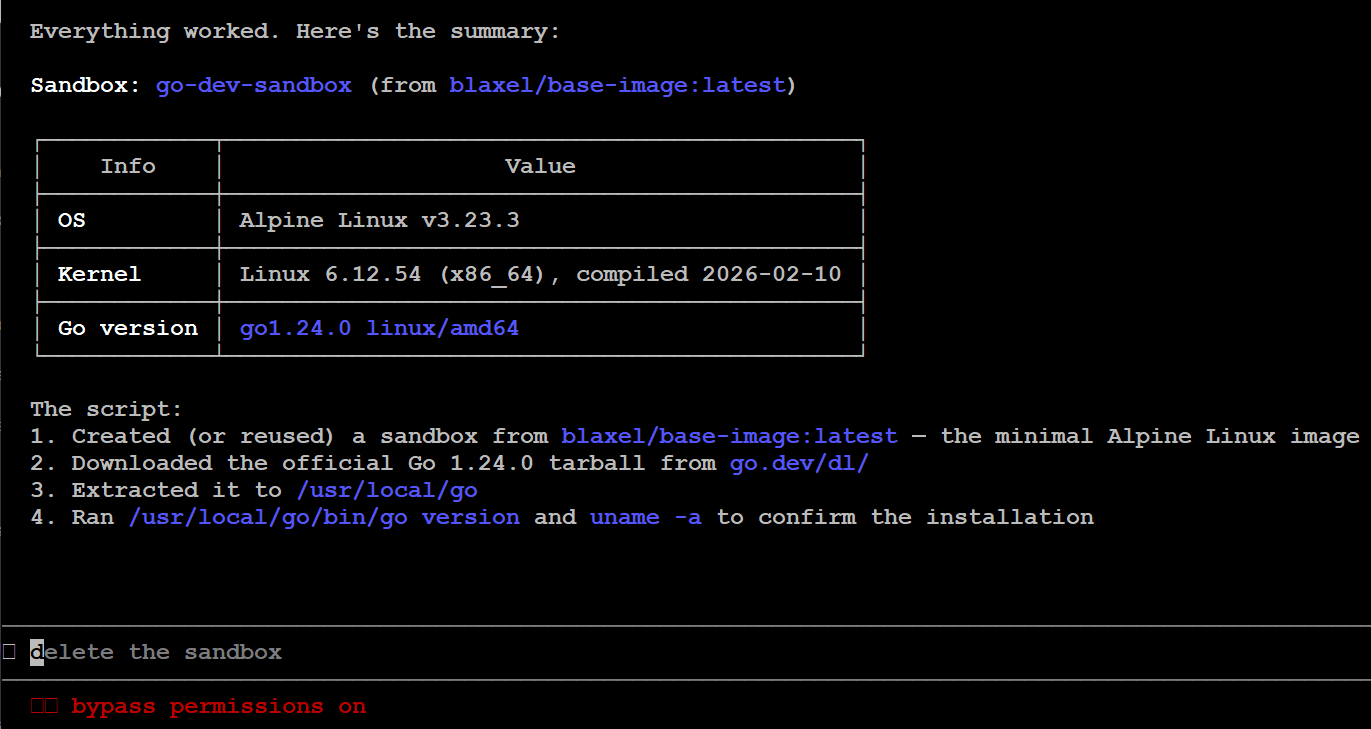
Create a Blaxel cloud sandbox from a minimal base image. Install a complete Go dev environment in it. Show me the installed Go version and OS version in the sandbox.
Your agent should automatically identify and load the Blaxel Skill, then use the information in it to spin up a sandbox, install packages, execute commands, and return the requested details.
 How about something more complex?
Your mission is
- Create a Blaxel cloud sandbox for Next.js web app development.
- Within this sandbox, develop a modern Next.js web app for a three course dinner featuring all your favorite recipes.
- When you're done, start the dev server and give me a preview URL to see your work.
- Make it yummy!
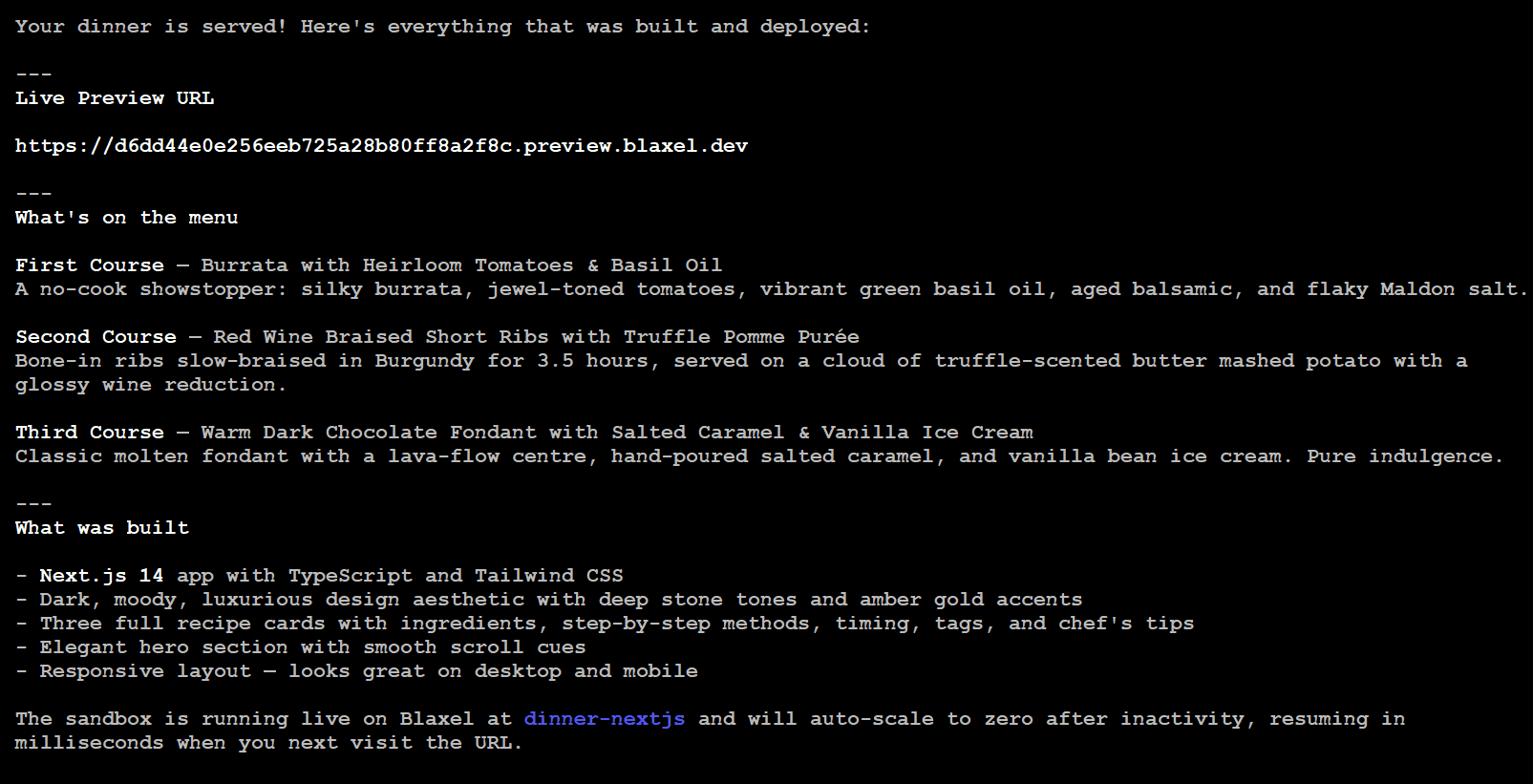
Hmm, that actually sounds pretty good...

... and looks it too!
Our Blaxel Skill is open source, so you can try it, give us feedback in Discord, or suggest improvements
Related articles
Blaxel News
Securing the open frontier with NVIDIA OpenShell and Blaxel sandboxes
Baseten is a launch partner for the NVIDIA Agent Safety Platform and supports OpenShell in the latest generation of Blaxel Sandboxes.
4 min read
Blaxel News
How to Combine Sandbox Safety with a Decision Layer That Gets the Job Done
Sandboxes let coding agents act safely. Decision layers make sure they act correctly. How Blaxel and Rippletide think about combining both.
5 min read

Blaxel News
Close your laptop. Keep DeepSeek Harness working on Blaxel.
Take your DeepSeek Harness task to a private Blaxel host and let it keep working. Review the patch, then return the files and conversation to your computer.
4 min read